
RogueRealms Codes (May 2026) Roblox
Redeem RogueRealms Codes on Roblox for Android
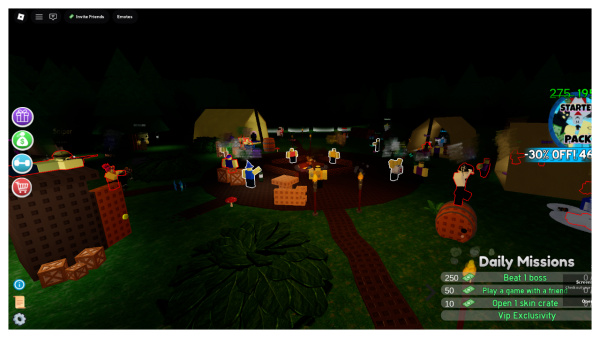
To redeem RogueRealms codes on Roblox for Android, first launch Roblox and open the RogueRealms game. Then tap the gift box icon, usually located in the left side. The latest code is “MerryXmas2025”, released on December 8, 2025. Enter a valid code into the “CODE HERE” text box, and tap “Redeem Code” to instantly claim your rewards. This process rewards you with various in-game items or bonuses to help you progress in the game. Enjoy expanding your empire and battling through the roguelike world!
All New RogueRealms Codes
All working RogueRealms [BETA] codes were last checked on December 8, 2025.
| Codes | Rewards | Release Date | Status |
|---|---|---|---|
MerryXmas2025 New | Get 50 Snowflakes | December 8, 2025 | Working |
ChallengeAccepted New | Get 150 RogueBux | December 8, 2025 | Working |
2MVisits New | Get 200 RogueBux | November 30, 2025 | Working |
FinalDaysOfHalloween2025 New | Get 50 Candies and 100 RogueBux | November 15, 2025 | Working |
HappyHalloween2025 | Get 100 candies | November 1, 2025 | Working |
MiniBosses | Get 150 RogueBux | November 1, 2025 | Working |
SPOOKY2025 | Get 50 candies | October 25, 2025 | Working |
StarterClassesMutations | Get 100 RogueBux | September 28, 2025 | Working |
CodeRelease | Get 150 RogueBux | September 18, 2025 | Working |
How to Redeem Codes in RogueRealms
1. Launch Rogue Realms on Roblox.
2. Tap the gift box icon, usually located on the left side of the screen.
3. Enter a valid code into the “CODE HERE” text box.
4. Tap the “Redeem Code” button.